

Integrate TradingView Charts on Deriv Platform
📊 Learn how to integrate and customize TradingView charts on Deriv platform, tackle common developer challenges, and enhance trading experience effectively.
Edited By
Charlotte Whitmore
TradingView.com has become a favourite tool for many Kenyan traders looking to analyse financial markets with precision. Its interactive charts offer access to real-time data across global and local markets, from the Nairobi Securities Exchange (NSE) to Forex and cryptocurrencies. Understanding how to navigate these charts effectively can save you time and improve trading decisions.
Unlike traditional charts, TradingView provides versatile features like multiple chart types, real-time updates, and an extensive library of technical indicators. Whether you are a beginner learning the ropes or a seasoned trader refining your strategy, this platform caters for various skill levels.
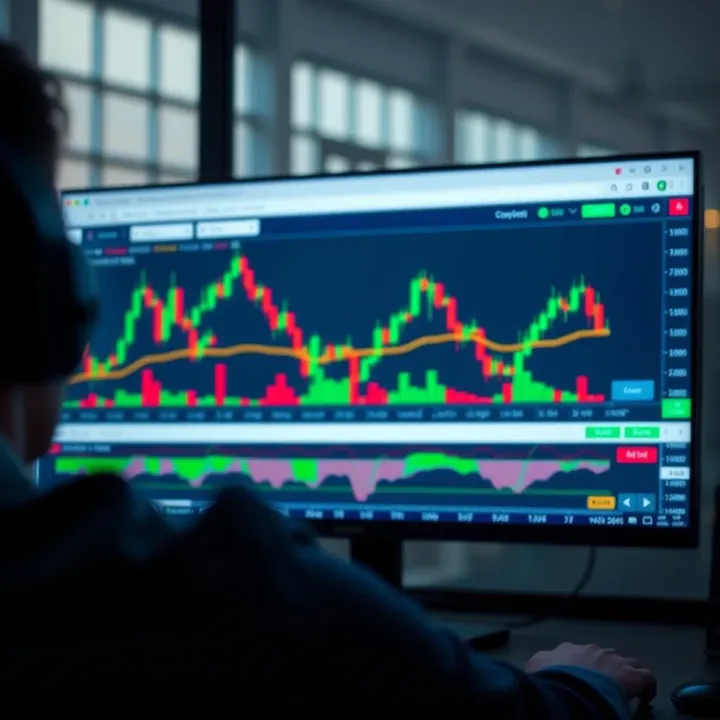
For Kenyan traders, integrating local market data and aligning chart analysis with regional financial calendars is key. For instance, applying chart indicators during NSE trading hours maximises accuracy as prices reflect the most recent market sentiments.
Mastering TradingView charts is not just about understanding the platform but applying insights in the context of Kenya’s unique market environment.
To get started, you need to familiarise yourself with different chart types available on TradingView such as candlestick, line, and bar charts. Each offers distinct perspectives:
Candlestick charts display opening, closing, high, and low prices for a time period and are popular for spotting patterns.
Line charts simplify price trends by connecting closing prices and are useful for a quick overview.
Bar charts combine information on price ranges and volume, offering depth for technical analysis.
Besides charts, the platform lets you add indicators like Moving Averages, Relative Strength Index (RSI), and Bollinger Bands, all of which have practical applications in local market contexts. For example, RSI helps identify overbought or oversold stocks on the NSE.
This guide will walk you through these functions and how to customise your workspace so you trade smarter and make well-informed moves that fit the Kenyan trading landscape.
By the end, you’ll know how to read charts like a pro and apply data insights instantly for better timing and risk management in your trades.
Getting started with TradingView charts sets the foundation for effective market analysis and trading decisions. For Kenyan traders and investors, this step is critical because it familiarises you with key tools and the platform’s layout, ensuring you don't waste time or miss opportunities. For example, if you're tracking NSE stocks like Safaricom or KCB Group, knowing how to quickly access and interpret their charts helps you act fast when prices move.
To begin, you need a TradingView account. Signing up is straightforward—just provide an email and create a password, or you can sign in via Google or social media. Once registered, you get access to live charts, real-time quotes, and a community of traders sharing ideas. For Kenyans, this means you can watch NSE-listed stocks, forex pairs, or commodities without delay.
Accessing charts is as simple as typing the name or ticker symbol of the asset into the search bar. But having an account also allows you to save custom chart layouts and set personalised alerts—features that beginners often overlook but are invaluable once you start trading seriously.
The chart window is where you’ll spend most of your time. It displays the price movement of your chosen asset over time, using different chart types like candlesticks or line charts. On the right-hand side, you’ll see price scales, and at the bottom, the time axis. This layout helps you quickly spot trends and price levels. For instance, while tracking forex pairs like USD/KES, you'll be able to see price shifts throughout the day clearly.
Understanding this space well lets you zoom to different time frames—from minutes to months—depending on your trading style. If you're a day trader, you might focus on 5-minute or 15-minute charts, while investors may prefer weekly or monthly views.
TradingView’s symbol search is straightforward yet powerful. You simply enter the company name, ticker, or market symbol, and the platform shows multiple options across exchanges. For Kenyan traders, this means you can search for NSE stocks or even global assets and commodities such as Brent crude or gold.
Selecting the right symbol is key because some companies trade on several markets or have multiple derivatives. The search tool helps avoid confusion, showing the exchange and asset type next to the symbol so you pick exactly what you need.
The toolbar sits usually on the left or top side of the chart and holds essential tools for analysis. You'll find drawing tools like trend lines or Fibonacci retracements, plus options to add indicators such as RSI or moving averages. These tools let you customise your chart and dig deeper into market behaviour.
Navigation tools include zooming, panning, and switching time frames. Mastering these lets you swiftly move between different periods or fine-tune your view without missing critical price action. For example, when tracking Kenyan stocks, zooming in can reveal short-term price patterns that guide buy or sell decisions.
Starting with TradingView charts can seem daunting at first, but familiarising yourself with these basic elements—the account setup, chart layout, symbol search, and toolbar—is your first step towards confident trading on Kenyan and international markets.
To trade effectively on TradingView, knowing different chart types is key. Each chart provides a unique view of price data, helping you spot trends, reversals, and market momentum. For Kenyan traders dealing with NSE stocks or forex pairs, picking the right chart type can sharpen your decision-making and reduce guesswork.
Different chart types cater to varied trading styles and time frames. Some charts offer clarity for fast decisions, while others show broad market patterns better suited for long-term strategies. Getting comfortable with these options allows you to tailor your analysis to your goals and market conditions.
Line charts connect closing prices over a chosen period, forming a simple, continuous line. They strip away complex details and give a clear, straightforward snapshot of price movements. This simplicity helps spot general trends without distractions, ideal for beginners or traders focusing on overarching market directions.
For example, when tracking Safaricom shares on the NSE, a line chart over one year quickly highlights whether the stock is generally rising or falling, without the noise of daily price swings. It’s also useful in comparing multiple assets at once since the visual remains uncluttered.
Candlestick charts are popular due to their detailed visual cues. Each candle shows the open, close, high, and low prices, using colour codes to indicate gain or loss over a given time frame. This format reveals not just direction but market sentiment and potential reversals.

Kenyan traders often find candlesticks useful when trading forex pairs like USD/KES or during short-term NSE trades. For instance, specific candlestick patterns—like the hammer or doji—can hint at price reversal points, giving opportunities to enter or exit a trade with better timing.
Bar charts look similar to candlesticks but use vertical bars to show price range and horizontal ticks for open and close prices. Though less popular than candlesticks, bars offer a compact way to visualise price dynamics and are preferred by traders who want a cleaner view yet retain full price information.
Bar charts work well when analysing NSE stocks or commodities where traders want to balance detail with clarity. Their structure helps identify volatility and trend strength, which comes handy when markets—including Kenyan agricultural commodity futures—experience sudden shifts.
For quick trades such as day trading or scalping, detailed price information is vital. Candlestick charts stand out here as they show the price action within each trading period, plus patterns that capture rapid mood changes in the market.
Short-term traders in Nairobi or Mombasa often prefer candlesticks with short time frames (5-minute or 15-minute) to capture small price moves in NSE shares or forex. These charts enable identification of entry and exit points with precision, supporting swift decision-making under volatile conditions.
Investors looking to hold assets over months or years benefit from simpler, trend-focused charts like line charts. These charts avoid day-to-day noise, highlighting the overall performance of securities such as Kenyan large-cap stocks or government bonds.
Using line charts over monthly or quarterly intervals helps investors evaluate company growth and market cycles. They can make better-informed choices about building or diversifying portfolios, with less distraction from short spikes or dips that do not affect long-term value.
Choosing the correct chart type based on your trading or investment style helps you see relevant data clearly, boosting your confidence to act at the right moment in Kenya’s fast-moving financial markets.
Navigating financial markets without clear analysis tools is like driving blindfolded. Indicators and drawing tools on TradingView help Kenyan traders sharpen their market view, making it easier to spot trends, momentum, and key price levels. These tools break down complex price movements into digestible insights, which is essential whether you trade NSE stocks, forex pairs, or commodities.
Moving averages smooth out price data by creating an average price over a set period, such as 20 or 50 days. This helps filter out the noise of daily volatility and highlights the underlying trend. For example, when the short-term moving average crosses above a long-term moving average, many Kenyan traders see this as a buy signal, signalling upward momentum. Moving averages also act as dynamic support or resistance, guiding entry and exit points.
Relative strength index (RSI) measures the speed and change of price movements on a scale from 0 to 100. When RSI crosses above 70, an asset is considered overbought, signalling a potential reversal or correction. Conversely, an RSI below 30 indicates oversold conditions, which might be a buying opportunity. For traders dealing with volatile forex pairs or NSE blue-chip stocks, RSI is particularly handy for timing when to step in or out of the market.
MACD (Moving Average Convergence Divergence) combines two moving averages to show changes in momentum. When the MACD line crosses above the signal line, it suggests growing bullish momentum; a cross below indicates bearish momentum. Beyond crossovers, MACD's histogram shows the distance between these lines, helping traders anticipate momentum shifts before price changes. This is key in Kenyan markets where sudden shifts can occur, allowing traders to position themselves ahead.
Trend lines and channels are simple but powerful tools for visualising the market’s direction. Drawing a trend line along rising lows highlights an uptrend; connecting falling highs shows a downtrend. Channels extend these lines to capture price oscillations within boundaries. Kenyan traders often use trend lines to identify breakouts or pullbacks in stocks like Safaricom or forex pairs like USD/KES.
Fibonacci retracements use horizontal lines based on key Fibonacci ratios (such as 38.2%, 50%, and 61.8%) to spot likely reversal levels after a price move. For instance, if a stock jumps sharply, traders might expect a pullback to one of these levels before it continues upwards. Applying this on NSE stocks or commodity prices helps confirm entry points with precision.
Support and resistance levels mark horizontal price points where buying or selling pressure historically increased, causing reversals or pauses. Recognising these can help Kenyan traders set realistic stop-loss orders or profit targets. For example, sugarcane farmer co-op shares might bounce repeatedly around a certain KSh mark, indicating strong support.
Using indicators alongside drawing tools creates a fuller picture of market behaviour. This combined approach increases confidence and reduces guesswork when making trading decisions.
Together, these tools equip you with practical ways to read and act on pricing signals relevant to Kenyan markets. They turn raw numbers into stories of market moves.
Customising your TradingView charts is key to making the platform work best for your trading style and local market conditions. By tailoring settings such as colour themes, time intervals, and layout arrangements, you get clearer insights without unnecessary distractions. This personalised approach helps Kenyan traders focus on relevant market moves, especially when analysing NSE listings or forex pairs.
TradingView offers various colour schemes — from dark themes better for low-light conditions to bright, well-contrasted layouts during the day. Choosing the right colour style isn’t just about aesthetics; it protects your eyes during long trading sessions and makes patterns stand out. For example, a trader analysing volatile forex pairs with quick price changes might prefer a dark theme with vivid candlestick colours to catch shifts at a glance. Meanwhile, someone tracking slow-moving NSE stocks might use a light theme for ease over extended use.
Besides theme colours, styles such as candlestick body colours, grid lines, and background opacity are adjustable. This helps highlight key support or resistance levels without cluttering the screen. A clean chart with high contrast lets you spot breakout points or reversals faster, which is crucial when trading during Nairobi’s busy market hours.
Choosing the right time interval shapes your trading perspective. Short intervals like 1-minute or 5-minute charts aid day traders who want detailed insight into price moves, especially for popular NSE stocks like Safaricom or KCB shares. Longer intervals such as daily or weekly charts serve investors focused on trends over weeks or months.
Zooming controls allow you to adjust how much data is visible, whether you want to track recent price action or review historical trends. Proper zoom settings help balance detail and overview; zoom too close, and you miss long-term context, zoom too far, and short-term signals get muddled. For Kenyans using mobile data, optimising zoom levels also reduces loading times, making the app more responsive on slower networks.
Custom layouts let you save your preferred chart setup—indicators, drawing tools, time intervals, and colour schemes—without rebuilding each time you log in. For example, a trader might create a layout for forex pairs with RSI and MACD indicators and another for NSE stocks using moving averages. This saves time and keeps your workspace tidy.
Kenyan traders working with a team or mentors can benefit from creating specific layouts for different strategies, such as swing trading versus long-term investing. Switching between these layouts becomes seamless, helping avoid confusion and improving decision-making.
Once you have a customised chart, you might want to share it with colleagues or post it in trading groups on WhatsApp or Telegram. TradingView allows exporting charts as images or sharing links directly from the platform.
Sharing chart snapshots is helpful when discussing market outlooks or seeking second opinions on setups for NSE stocks or forex pairs often traded in Kenya. Exported charts also serve as a record for reviewing past analyses, helping you track which strategies worked well and which didn’t over time.
A personalised TradingView experience saves you time, reduces errors, and keeps your focus on what's truly important — making informed, timely trading decisions suited to Kenya’s markets.
Customising charts transforms the tool from a generic platform into one that fits your unique trading needs and local context.
TradingView.com charts offer a practical toolkit tailored for analysing not only global markets but also Kenya’s unique financial environment. Applying these charts to Kenya’s markets helps traders and investors access real-time data, observe price movements, and make decisions with clearer insights. For anyone involved in Kenya’s Nairobi Securities Exchange (NSE) or the forex market, leveraging TradingView’s features can bring local market analysis to a new level.
TradingView includes real-time and historical data for securities listed on the Nairobi Securities Exchange (NSE), which is vital for local investors tracking Kenyan stocks. Whether you are following KCB Group, Safaricom, Equity Bank, or East African Breweries Limited, having their price charts and volumes accessible through TradingView allows you to spot trends, volatility patterns, and key support or resistance levels.
This access simplifies monitoring NSE-listed companies without hopping between multiple platforms or relying solely on broker reports. It also helps traders combine technical analysis with fundamental news to time their buys or sales better.
Apart from equities, TradingView covers forex pairs important to Kenyan traders, such as USD/KES (US Dollar to Kenyan Shilling) and EUR/KES (Euro to Kenyan Shilling). Forex trading is popular in Kenya, and watching currency chart patterns on TradingView can improve timing for trades or hedges.
You can also track cross-border stocks within East Africa or broader African indices, using TradingView’s custom features to compare performance and spot investment opportunities. This practical access to comprehensive local and regional instruments makes TradingView an effective tool for Kenyan market participants.
Kenyan brokers, including local offices of international firms and indigenous platforms, increasingly support integration with TradingView-generated data and recommendations. After analysing a stock or forex pair on TradingView, you can directly apply those insights when placing orders with brokers like SBG Securities, Sterling Capital, or Genghis Capital.
This synergy helps you avoid guesswork and reduces reliance on multiple devices or apps. You get a smoother workflow where chart analysis, order execution, and portfolio monitoring happen almost seamlessly, improving response times especially during volatile market phases.
M-Pesa dominates Kenya’s mobile payment landscape, making fund transfers for investment easy and secure. Several online brokers today accept deposits via M-Pesa, linking your TradingView-informed choices directly to fast payment options.
This convenience means you can top up your trading account in moments from your mobile phone and immediately act on market opportunities noted during your chart analysis on TradingView. For example, if a chart signals a breakout in Safaricom stock, you can fund your account via M-Pesa and execute the trade quickly without delays typical of traditional bank transfers.
Using TradingView with local market data and M-Pesa-backed brokers creates a practical, efficient trading environment for Kenyan investors aiming to stay competitive and react fast in today’s markets.
This section focuses on actionable connection between TradingView’s powerful charting features and the realities of Kenyan trading — offering direct benefits from real data access to quick payments and execution options.
Using TradingView charts efficiently can save you time and improve your trading decisions. With so many indicators and tools available, knowing how to set up alerts and avoid overloading your charts helps you focus on what truly matters. This section gives practical tips that Kenyan traders can apply to stay sharp and react swiftly to market moves.
Price level alerts are a straightforward way to keep track of key market prices without staring at your screen all day. You simply set an alert for a specific price point, such as when NSE stock XYZ hits KSh 500. Once the price touches that level, TradingView sends a notification via email, app, or SMS. This is especially useful if you’re following fast-moving forex pairs like USD/KES or volatile stocks, so you don't miss out on buy or sell opportunities.
Indicator-based alerts add an extra layer of control by notifying you when technical indicators reach certain conditions. For example, you can set an alert when the Relative Strength Index (RSI) crosses below 30, signalling a potential oversold condition on a stock like Safaricom. This helps you react to momentum changes without checking the indicator manually all the time. It's a practical approach for Kenyans juggling multiple responsibilities who want their tools to work smarter, not harder.
Focusing on key indicators means not spreading yourself too thin by tracking every available tool on TradingView. Stick to a handful of trusted indicators that fit your trading style. For instance, a day trader on NSE might rely on moving averages and RSI, ignoring more complex ones like Ichimoku clouds that could clutter analysis. This focus helps reduce noise and improves your ability to spot genuine trading signals.
Managing chart clutter is about keeping your chart neat and easy to read. Too many lines, indicators, or drawings can confuse your decisions and slow you down. Prioritise only essential trend lines, support/resistance levels, and a few indicators rather than everything at once. For example, when analysing a forex pair like EUR/USD, use just the moving average and Fibonacci retracements, instead of loading your chart with a dozen different tools. A clean chart makes it easier to act quickly and prevents mistakes caused by visual overload.
Clear alerts and minimal distractions on your TradingView charts help you trade with confidence and accuracy, especially amidst the fast pace of Kenyan financial markets.
Overall, these tips ensure TradingView charts enhance your trading rather than overwhelm you. Use alerts to stay informed without constant checking and keep your charts tidy so that your analysis stays on point.
📊 Learn how to integrate and customize TradingView charts on Deriv platform, tackle common developer challenges, and enhance trading experience effectively.
Learn how to easily log in to Deriv with step-by-step tips for Kenyan traders 🇰🇪. Stay secure 🔒 and avoid common issues for smooth trading 🚀.

Discover how Kenyan traders can navigate Deriv.com with ease 🌍. Explore its features, account types, trading tools, and smart risk tips 📊.

Explore how Binary.com works for Kenyan traders 🇰🇪. Learn about account setup, trade types, security, payments, and regulations to trade smartly and safely.
Based on 12 reviews