
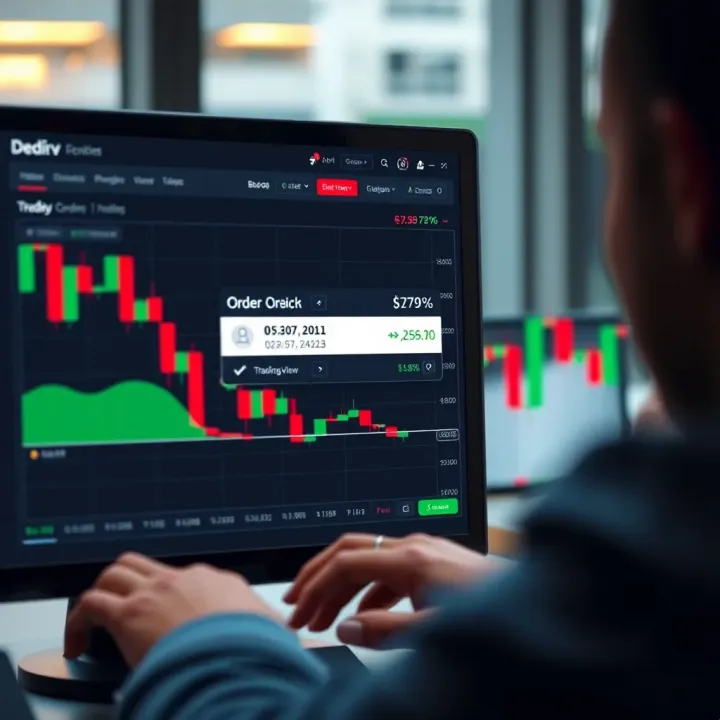
Using Deriv and TradingView for Smarter Trades
Boost your trading skills 📈 by linking Deriv and TradingView for smarter market analysis and faster order execution—perfect for Kenyan traders seeking edge.
Edited By
Oliver Grant
Integrating TradingView charts into the Deriv platform can totally change the way traders and investors analyze market data right from the platform they use most. It's not just about slapping a chart on the screen — it’s about enhancing how users interact with market trends, price movements, and technical indicators in a smoother, more intuitive way.
This article is designed to walk you through the nuts and bolts of implementing these charts on the Deriv platform. We’re going to break down the technical steps, highlight customization options, and discuss common hurdles developers might face. Plus, we’ll touch on how this integration improves overall trading experience, especially for active traders who rely heavily on real-time, visually rich data.

Understanding how these charts work together with Deriv's APIs isn’t just for tech experts. Even traders curious about the back end can get insight into why this matters and how it affects their daily trading decisions. From beginner investors spotting trends to financial analysts digging deep into price action, this guide covers practical know-how that’s immediately useful.
Incorporating TradingView charts opens up a more dynamic and responsive way to read markets on Deriv, making technical analysis tools more accessible and actionable than before.
In the sections ahead, you’ll find step-by-step instructions paired with real-world examples to make the implementation clear, and key advice on avoiding pitfalls that can waste time and effort during setup. So, whether you're a developer enhancing your platform’s chart capabilities, or a trader wanting to know what drives those fancy visualizations, this article is crafted to clarify everything in plain language and practical terms.
Understanding TradingView and Deriv is the first step to successfully bringing their strengths together. This overview sets the groundwork by digging into what each offers and how their features can mesh to improve trading. Knowing these platforms inside out helps developers create smoother integrations that actually meet trader needs.
TradingView is popular because its charting tools are both powerful and user-friendly. At the heart are interactive, real-time charts that support complex technical analysis. You have features like drawing tools, customizable indicators, and the option to save chart layouts. For instance, a trader looking to spot entry points might use TradingView’s trendlines and moving averages hooked up to live price feeds. These capabilities aren’t just bells and whistles – they shape how a trader reads market data and makes decisions, so bringing these over to Deriv can significantly upgrade trading precision.
TradingView's support covers a wide range, from classic line and candlestick charts to more advanced options like Renko, Kagi, and Point & Figure. On the indicators side, there’s a rich library including RSI, Bollinger Bands, MACD, and user-defined scripts through Pine Script. This variety lets traders pick what suits their strategy best. In integrating with Deriv, maintaining this flexibility means users won’t feel boxed in. Think of a Deriv user who normally trades forex—having instant access to familiar chart types and indicators could be the difference between a confident trade and second-guessing decisions.
Deriv offers several trading products, from synthetic indices and forex to CFDs and options. It's designed to cater to a broad spectrum of traders—from beginners dipping toes to pros chasing sophisticated strategies. For example, synthetic indices, unique to Deriv, simulate market volatility 24/7. The platform’s versatile product range demands charting tools that can handle different data sets and timeframes smoothly. So, integrating TradingView charts here should ensure that no matter what product a trader picks, the charts deliver accurate, timely insight.
Charts are more than visual aids on Deriv; they are central to the trading experience. Traders rely on them to track price movements, confirm signals, and plan exits. Currently, Deriv’s native charts provide basics but with TradingView integration, they gain a layer of sophistication and interaction. For example, a trader examining a forex pair on Deriv could quickly overlay indicators, switch chart types, and zoom into ticks without hopping between platforms. This streamlines workflow and keeps traders engaged, reinforcing Deriv as a one-stop-shop for analysis and execution.
Integrations like TradingView charts on Deriv transform static platforms into dynamic trading hubs, where timely data meets deep analytics to help users make smarter moves.
By laying out these essential details on TradingView and Deriv, readers get a clear picture of why merging their features is not just beneficial but almost necessary for modern traders aiming to stay competitive and efficient.
Planning the integration of TradingView charts onto the Deriv platform is more than just a technical hurdle; it's the foundation that determines how smoothly the final product will perform for traders. Without proper planning, you risk a clunky user experience or even underutilizing TradingView’s powerful charting capabilities. The goal here is to map out both the technical and user-side factors to ensure that when charts are embedded, they not only look good but perform reliably and meet trader expectations.
Consider a trader on Deriv who needs real-time updates paired with advanced indicators—without planning, the integration might lag or fail to sync correctly with Deriv’s data. Thoughtful planning makes sure these challenges are addressed well before hitting the code phase.
To get TradingView charts live on Deriv, understanding API availability is key. TradingView offers embed widgets and API access to its charts, but not all features are openly available or free. To bridge the platforms, you'd typically work with TradingView’s Lightweight Charts library or their widget APIs, depending on your needs.
One must assess if the API supports all chart types, indicators, and interactive features Deriv users expect. For instance, if Deriv users expect custom scripts or indicators, check if TradingView’s API lets you add those without restrictions. Also, authentication might come into play if you want personalized user settings saved.
A practical tip is to prototype with the TradingView widget early, spotting any API limits. If some functions are missing, alternative approaches or custom development might be necessary.
TradingView's chart widgets are designed primarily for web, which fits well with Deriv's online platform. Still, there are constraints:
Widget size and responsiveness need careful tweaking to fit Deriv’s layout without breaking the UI.
Browser compatibility matters as Deriv users might trade on various devices; the chart should remain stable across Chrome, Firefox, and Safari.
TradingView updates sometimes introduce breaking changes—this risk needs mitigation.
On the flip side, the integration presents opportunities. TradingView’s rich indicator library and user-friendly interface can boost Deriv’s charting without reinventing the wheel. Also, TradingView’s responsive widgets support mobile views well, aligning with Deriv’s mobile trading ambitions.
Pinning down what Deriv users truly want out of TradingView chart integration shapes development priorities. Typical user needs include:
Real-time price data with minimal lag.
Access to a variety of chart types like candlesticks, line, and bar charts.
Customizable indicators for technical analysis.
Smooth zooming and panning without glitches.
Meeting these demands means the integration shouldn't just slap TradingView charts onto a Deriv page; it must blend with Deriv’s trading flow so users don't feel like they switched platforms. For example, traders should toggle easily between Deriv’s asset list and TradingView charts without losing context.
Performance isn’t just a buzzword — it affects whether a trader stays or jumps ship. Charts must load quickly, update with minimal delay, and remain responsive whether the user is on a slow 3G connection or a fast fiber line.
Designing with performance in mind means prioritizing lightweight widget configurations, lazy loading charts only when necessary, and compressing data streams efficiently. Responsiveness also covers UI fluidity: interactions such as scrolling and zooming should feel instant.
Slow-loading charts or unresponsive controls cause frustration; in trading, even a minor delay might cost real money, so performance isn’t negotiable.
Setting clear expectations for these technical and user experience benchmarks upfront helps avoid expensive reworks later. It’s about marrying what’s technically feasible with what users need most.
Embedding TradingView charts into the Deriv platform isn't just a technical task—it's about enriching the trader's experience with sharp visuals and real-time data. This guide breaks down the process into manageable chunks, helping developers and platform managers ensure smooth integration that feels native and intuitive to users. By following these steps, Deriv can add a powerful charting tool, boosting analytical capabilities while maintaining platform performance.
The first step is grabbing the TradingView widget code, which is readily available from TradingView's official resources. This snippet is essentially a JavaScript embed code that calls TradingView's charting library hosted on their servers. Configuring it involves specifying parameters like the default ticker symbol, chart type (candlestick, line, bar), and timeframe.
For instance, if Deriv wants charts to open on the “EUR/USD” pair by default, the widget code must set this as a parameter. Other settings to adjust include enabling or disabling toolbar features or selecting initial indicators. This step is crucial because it sets the tone for how users interact with the chart—whether they get a minimalist view or a fully loaded dashboard right off the bat.
Once the widget code is in hand, tailoring the initial chart settings is the next priority. These can be tweaked by modifying the widget's configuration object. Consider including technical indicators popular among Deriv users—say, the RSI or Bollinger Bands—to appear on the chart immediately.
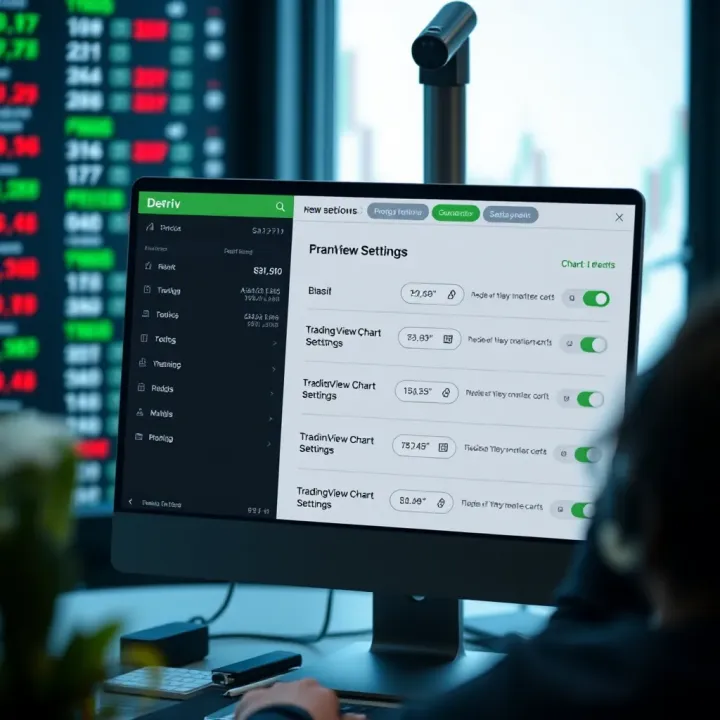
Customizing color themes to align with Deriv’s branding also matters. For example, if Deriv uses a dark theme by default, setting TradingView charts to the corresponding 'Dark' mode offers a seamless feel.
Giving users a familiar starting point helps them analyze with minimal adjustments needed, making their trading experience smoother. Importantly, these initial settings should be flexible to allow dynamic changes later on.
How the TradingView chart fits on Deriv’s trading dashboard is all about user convenience. The chart shouldn’t obstruct critical elements like order entry forms or account balances, yet remain prominent enough for detailed analysis.
Placing the widget in a resizable panel or a dedicated tab within the trading interface often works best. This lets users focus on charts when needed and collapse or switch views as desired. For example, embedding the chart alongside the main trade feed but separate enough to avoid crowding creates a comfortable workspace.
Remember, responsive design is vital since many Deriv users access the platform via various screen sizes.
Deriv’s platform uses specific frontend frameworks and libraries, typically React or Vue.js. Ensuring the TradingView widget plays well with these environments is necessary to avoid glitches.
This involves wrapping the widget in components matching Deriv’s coding structure and managing lifecycle events properly. For instance, listeners for data refreshes or user interactions have to sync with Deriv’s state management without causing unnecessary reloads or memory leaks.
Handling cross-origin resource sharing (CORS) rules and securing API keys where needed are important too. Coordinating with Deriv’s backend team to confirm smooth data flow helps foreclose potential hiccups before launch.
Even with meticulous setup, certain problems often pop up. Charts may fail to load due to network restrictions or JavaScript errors. Sometimes, widget dimensions don’t adapt well across devices, clipping important parts.
Latency in real-time data streams can cause charts to lag, frustrating fast-paced traders. Also, conflicts with Deriv's existing scripts might block certain chart functions, or UI elements might clash, confusing users.
Recognizing these typical issues early prevents downtime and keeps the trading experience professional.
Debugging starts with browser developer tools to spot console errors or network stalls. Inspecting API responses for delays or malformed data helps pinpoint backend-related snags.
Employ logging on widget events to track state changes and user interactions—this can reveal unexpected triggers or failures. Running integration tests across browsers ensures compatibility isn't broken on common platforms like Chrome, Firefox, or Safari.
Sometimes, isolating the widget in a minimal test page can confirm if the problem lies within TradingView’s code or the Deriv environment. Collaborating with TradingView support can clear deeper issues tied to widget API quirks.
Tip: Document every discovered bug and fix thoroughly. This helps future updates go smoother and prevents recurring headaches.
Following these steps, developers can confidently embed TradingView charts within Deriv, boosting the platform’s appeal by combining rich charting power with Deriv's trading tools. The detailed setup and troubleshooting process ensures users get a reliable, integrated experience every time they analyze markets.
Customizing TradingView charts on the Deriv platform lets traders tailor their charting experience, which can make a huge difference when analyzing markets or making quick decisions. Instead of a one-size-fits-all view, customization allows users to match charts to their trading style and preferences. This section dives into how visual styles and the addition of indicators can enhance usability and bring out more actionable insights.
Aligning the TradingView charts with Deriv’s branding is more than just slapping on a logo. It builds a consistent feel across the platform, helping traders feel right at home and reducing cognitive load. Using Deriv's color palette—think soft blues and greys, for instance—creates a smooth visual flow between charts and other platform components. This means configuring the chart background colors, grid lines, and fonts so they don't clash or feel out of place.
Practically speaking, this can involve updating CSS styles within the TradingView widget parameters or applying custom themes that imitate Deriv’s style guide. For example, if Deriv uses a dark theme by default, the TradingView chart should adapt to that, avoiding glare and allowing extended focus without fatigue.
Offering users a choice between themes—like light, dark, or a high-contrast mode—caters to diverse preferences and environments. One trader might be analyzing charts under bright office lights, preferring a light theme; another could be trading late at night needing a dark theme to reduce eye strain.
Implementing this means exposing a simple toggle or dropdown menu within the platform UI that switches the TradingView widget's theme parameter on the fly. Importantly, saving these preferences in user profiles lets traders keep their preferred setup without repetitive tweaks. This flexibility adds a layer of personalization that encourages longer sessions and fewer distractions.
TradingView comes packed with hundreds of built-in indicators like the Relative Strength Index (RSI), Moving Averages, MACD, and Bollinger Bands—tools traders swear by. For Deriv users, having quick access to these indicators right on their charts means they don’t have to bounce between platforms.
Embedding these indicators involves setting default indicator scripts within the TradingView API or allowing users to add/remove them dynamically. For example, a forex trader on Deriv might frequently rely on Moving Averages and RSI to gauge momentum and trend strength. Providing these out-of-the-box saves time and boosts efficiency.
Some traders rely heavily on custom indicators and automated strategies that the usual built-ins don’t cover. TradingView supports Pine Script, a simple but powerful scripting language traders use to write their own indicators or alerts.
Deriv users who want to implement these custom scripts can inject them into the embedded charts, giving an extra edge for those who prefer a hands-on approach to technical analysis. It’s essential for Deriv’s platform to allow users to upload or write Pine Script code, test it in real time, and see results immediately. This capability supports advanced trading tactics without overwhelming less technical users.
Customizing charts isn't just visual flair; it’s about making data easier to read and trade decisions quicker and more confident. The more tools a trader has at their fingertips, fitted just for their style, the better the chances of success.
By tailoring TradingView charts through visual adjustments and flexible indicators, Deriv enhances the trading desk from a basic tool to a potent ally in the fast-paced world of finance.
Keeping the TradingView charts integrated with Deriv up to date is more than just routine maintenance. It's about making sure traders get the smoothest, most accurate experience possible every time they pull up a chart. If this integration falls behind—maybe due to outdated APIs or slow performance—users can get frustrated and might even jump ship to a competitor. This section digs into why monitoring performance and staying on top of updates is essential.
Tracking load times and responsiveness is key to ensuring that TradingView charts feel snappy and reliable on Deriv. If a chart takes too long to load or stutters while updating, traders might miss critical moves. Simple tools like Google Lighthouse or WebPageTest help monitor these metrics regularly. Setting up alerts for unusually high load times or slow rendering in real-time helps the tech team jump on issues before users notice. For instance, if the chart widget starts lagging during high market volatility, it can lead to poor trade decisions. Staying on top of these numbers means the charts stay fast and responsive, keeping traders happy.
Collecting user experience data goes hand in hand with tracking technical performance. Direct feedback through surveys or in-app prompts can reveal issues that numbers alone don’t catch. For example, users might find certain indicators hard to read or the interface confusing to navigate, even if it loads quickly. Heatmaps and session recordings can also shed light on where users hesitate or face crashes. Combining hard data with user opinions helps prioritize updates that truly improve the experience, not just technical fixes.
Handling changes in API or widget features requires constant vigilance since TradingView often rolls out enhancements or deprecates old features. Ignoring these updates can break parts of the integration or cause unexpected behavior. Setting up a routine check—maybe monthly—for TradingView’s developer announcements and change logs is crucial. When changes come through, the development team should test new widget versions in a staging environment before pushing them live. For example, if TradingView adjusts how chart data streams, ignoring this could result in delayed price updates or missing candlesticks.
Ensuring backward compatibility means maintaining support for users who haven't updated to the latest platform version or using legacy features. This helps avoid alienating segments of Deriv’s trader base, who might depend on older chart styles or indicators. Developers can implement feature flags or versioned API calls to support multiple versions simultaneously. For example, some traders prefer the classic chart layout; forcing an update might disrupt their workflow. Maintaining backward compatibility isn’t just polite—it keeps trust and loyalty intact.
Keeping the integration finely tuned and updated is not just about tech for tech’s sake; it’s about guaranteeing that traders on Deriv have access to reliable, fast, and familiar charting tools that support their decisions.
In summary, ongoing maintenance of TradingView charts on Deriv includes watchdogging performance metrics, listening closely to user feedback, vigilantly tracking TradingView’s updates, and thoughtfully supporting both new and existing features. These efforts combined ensure the charts continue functioning smoothly and meet trader expectations day in, day out.
Integrating TradingView charts on the Deriv platform doesn't just add a shiny new feature; it significantly boosts the platform's trading capabilities and user satisfaction. The benefits stretch beyond aesthetics to offer practical tools that traders rely on daily for making sound decisions. When traders have access to advanced charts with flexible settings and numerous indicators, they tend to stick around longer—and make smarter trades. Let's break down the key perks this integration brings to the table.
One of the standout benefits of TradingView integration is the sheer variety of indicators available right at traders' fingertips. From basic moving averages to complex oscillators like the Relative Strength Index (RSI) and the MACD, TradingView gives users a toolbox that suits beginners and seasoned traders alike. This diversity makes it easier to fine-tune strategies without having to juggle multiple apps.
Consider a Deriv user keen on forex trading; with TradingView charts, they can overlay Bollinger Bands along with volume indicators to spot price volatility more precisely. This enables timely entry and exit from trades—something that was trickier before integration. The ready availability and customization of such indicators helps traders make decisions based on data, not just gut feeling.
Clear visuals are more than eye candy—they're vital for quick interpretation of fast-moving market data. TradingView charts offer sharp, colorful displays with various themes and layout options that can be tailored to Deriv’s branding or individual user preferences.
For example, a user working late might prefer a dark theme to reduce eye strain, while another in bright daylight might latch onto a lighter scheme. Indicators and drawing tools can be adjusted for size, color, and opacity, making the chart informative without being cluttered. This means traders can spot trends, support and resistance levels, or breakout points with ease, enhancing their analysis and confidence.
Traders want interfaces that respond instantly to their inputs without steep learning curves. TradingView charts shine here by offering drag-and-drop annotations, zoom, scroll, and real-time updates that feel natural. The interactive nature keeps users engaged, encouraging deeper exploration of market data.
An investor on Deriv can draw trendlines or add custom Fibonacci retracements within a couple of clicks rather than digging through complex menus. This immediacy in interaction reduces frustration and fosters a habit of continuous analysis—which investors know is key to spotting good trade setups early.
A clunky or inconsistent user experience can send traders running. TradingView charts slot smoothly into Deriv’s existing interface, maintaining consistent design and navigation cues that users recognize. This prevents users from feeling lost or overwhelmed when switching between different parts of the platform.
Moreover, this seamless fit ensures that loading times stay snappy and the charts don't interfere with other essential functions like order placement or account management. The integration keeps everything under one roof, so traders don’t waste time switching apps or juggling windows during volatile market moments.
By bringing TradingView charts into Deriv, users gain a powerful combo of rich analytical features and a fluid, familiar trading environment—helping traders to sharpen their edge and stay engaged longer.
Overall, these benefits make the TradingView integration a smart move for Deriv. It’s not only about adding more tools but about creating an ecosystem that traders prefer and rely on daily.
When blending TradingView’s charting tools with the Deriv platform, it’s not all smooth sailing. Understanding the challenges and considerations involved is key to delivering a seamless and reliable trading experience. From ensuring data moves smoothly and accurately to handling quirks in browser behavior, each piece impacts user trust and engagement. Addressing these potential roadblocks early means fewer crashes, delays, and headaches on launch day.
Data feed synchronization stands as a linchpin in this integration. If real-time data from TradingView doesn’t sync well with Deriv’s backend, traders won't see accurate prices or timely updates, which can ruin decision-making.
Managing real-time data consistency is about eliminating discrepancies between what’s shown on TradingView charts and Deriv’s live market data. For instance, if a price ticks differently on each platform, a trader might place orders based on faulty information. This is usually tackled by using WebSocket connections or similar streaming protocols that push updates instantly. Developers should verify timestamps and sequence numbers in the data feed to catch any missed or duplicated updates.
Without tight data consistency, traders risk making costly errors based on outdated or incorrect charts.
Latency and update frequency issues come into play when there’s a lag between the actual market movement and chart refresh. Even small delays—say 200 milliseconds—can make a difference in fast markets. The goal here is to balance update speed with system stability. For example, polling too often may strain system resources; updating too slowly leaves the chart stale. Practical steps include tuning the data refresh intervals, compressing data packets, and optimizing the network path between TradingView servers and Deriv’s platform.
Aside from data, technical restrictions around the widget itself need careful handling.
Widget size and responsiveness affect how comfortable users feel interacting with the charts on different devices. TradingView’s widgets are designed to be flexible, but squeezing them onto a small mobile screen without clutter is tricky. Developers should employ responsive design principles—using relative units like percentages and viewport widths—to let charts resize fluidly. Also, prioritizing critical chart elements and collapsing menus can improve usability on smaller screens.
Browser compatibility challenges can cause the embedded charts to behave oddly or not load at all, depending on the user's browser version or settings. For instance, older versions of Internet Explorer struggle with modern JavaScript features TradingView uses. To mitigate this, it’s wise to conduct thorough cross-browser testing covering Chrome, Firefox, Edge, Safari, and mobile browsers. Polyfills or fallback code may be necessary to ensure basic functionality where full support isn’t available.
Taking time to address these technical hurdles upfront can save countless hours in troubleshooting after launch. Traders’ patience wears thin very quickly when charts glitch or freeze mid-session.
By keeping an eye on these challenges—data synchronization and technical limitations—you can create a robust integration that feels natural for Deriv users. The payoff is a richer trading environment where users trust their charts and stay engaged longer.
Exploring future opportunities between TradingView and Deriv helps shape what the trading experience can look like down the line. As both platforms evolve, the possibilities for tighter integration and richer features grow, opening doors to deliver more personalized, efficient, and insightful tools for users. This section takes a closer look at practical areas that can push the collaboration further, benefiting traders on Deriv with smarter tools and smoother workflows.
One promising avenue is the ability to plug in custom trading strategies directly into Deriv through TradingView’s API. Instead of just viewing charts, traders could automate their buy or sell decisions based on settings they configure on TradingView. For instance, a trader might create a strategy that triggers a trade when the RSI crosses below 30 and the 50-day moving average trends upward. Integrating this kind of automation means Deriv users wouldn’t have to manually monitor charts all day—they could lean on their strategies to capture opportunities even when offline. This reduces the chances of missing important market moves and adds a layer of discipline and precision.
To make this real, developers on Deriv need to ensure the API handshake supports live signal transmission with low latency and reliable execution. Given the high stakes trading involves, any lag or hiccup could lead to suboptimal trades. So, security and fail-safe mechanisms become vital here.
Data is the trader’s lifeblood. Expanding analytic capabilities with TradingView data inside Deriv means users get deeper insights beyond what standard charts provide. Imagine heat maps that reveal market sentiment shifts or custom dashboards that aggregate futures trends alongside derivatives pricing. This kind of layered data can help investors spot patterns others miss or validate trading hypotheses more robustly.
From the developer’s perspective, offering these enriched analytics requires tapping into more granular data streams and building interfaces that make complex data approachable. Tools like AI-driven pattern recognition or real-time statistical indicators could become integral parts of the Deriv experience, making analysis faster and more intuitive.
Social trading is growing fast and presents a neat way to build community and trust among traders. Integrating social features where Deriv users can share their chart setups, trading strategies, or even live trading sessions using TradingView’s charts encourages a sense of belonging and collaborative learning. For example, a seasoned trader’s winning RSI-based strategy could be shared, discussed, and even imitated by newer traders within the Deriv ecosystem.
Implementing such features would involve real-time updates and notifications when shared charts or strategies are adjusted. It also means building user-friendly sharing tools that keep privacy considerations intact. This promotes transparency and knowledge exchange, a big plus for users looking for inspiration or confirmation in their trades.
Mobile trading is no longer a luxury—it’s an expectation. Ensuring TradingView charts on Deriv load swiftly and remain fully functional on smartphones and tablets is key. Many traders keep an eye on markets during commutes or when away from their desks; offering mobile-optimized charts lets them stay in the game without hassle.
This means responsive design isn’t just about resizing screens; it includes touch-friendly controls, fast loading times even on slower networks, and adaptive layouts that prioritize important data. Deriv users benefit greatly when they can quickly analyze trends or set alerts on-the-go without sacrificing functionality.
Future collaboration efforts that address these practical angles will not only enrich the Deriv platform but also empower traders with more control, insight, and convenience in their trading endeavors.
Boost your trading skills 📈 by linking Deriv and TradingView for smarter market analysis and faster order execution—perfect for Kenyan traders seeking edge.
📊 Learn how Kenyan traders can use TradingView charts for smarter binary options trades. Discover key features, setup tips, indicators, & risk control!

🔐 Learn how Kenyan users can easily create a Deriv account, stay secure, troubleshoot common issues, and navigate the platform smoothly. 📱

🔐 Learn how to log in to Deriv with your email easily! Step-by-step guide covers setting up accounts, managing passwords, and solving login issues smoothly.
Based on 5 reviews