
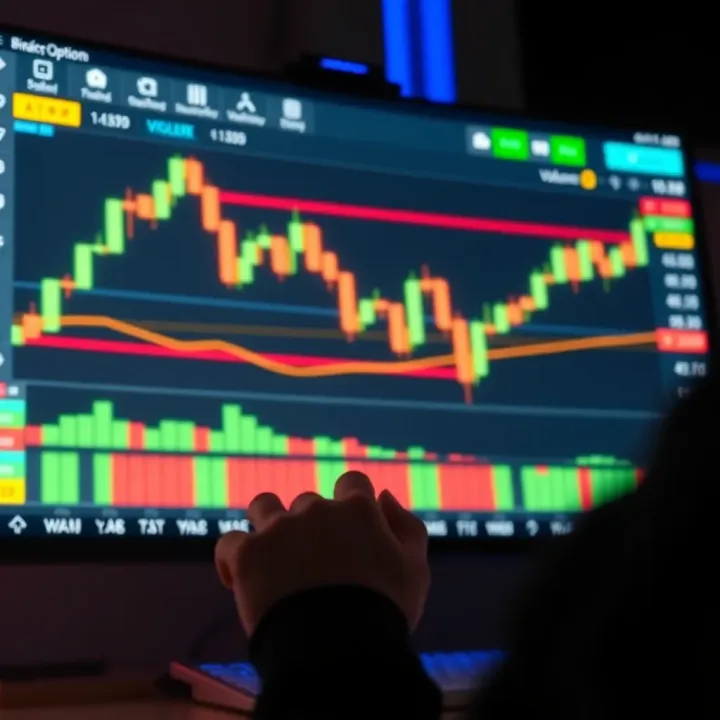
Using TradingView for Binary Options Trading Guide
Explore how to use TradingView 📊 for smarter binary options trading. Learn chart analysis, key indicators, and tips to boost your trading success in Kenya.
Edited By
Emma Collins
TradingView has gained wide popularity among traders for its rich charting tools and real-time market data. For those dealing with binary options, integrating TradingView can enhance decision-making by providing clearer market insights. This article explains how to bring TradingView’s capabilities into a binary options trading platform and what both traders and developers should consider.
TradingView offers comprehensive chart types, indicators, and drawing tools essential for analysing asset price movements. Binary options traders, who rely heavily on price direction over short time frames, find these features particularly useful. Having visual access to candlestick charts or line charts helps anticipate asset behaviour before placing trades.

From a developer’s perspective, TradingView provides API access and embeddable widgets. These tools allow integration of live charts without building complex charting modules from scratch. For instance, you can embed TradingView widgets customised to show specific assets, time intervals, or indicators relevant to binary options such as RSI or Bollinger Bands. This not only saves development time but also improves user experience with familiar and reliable charting tools.
"Integrating TradingView’s charting tools into binary options platforms streamlines market analysis and builds trader confidence."
To implement this, start with TradingView’s Charting Library or Lightweight Charts through their developer portal. Careful attention is needed on:
Data synchronisation: Ensure asset prices from your platform match TradingView’s to avoid confusing users.
Responsiveness: Design charts to work well on mobile devices, as many Kenyan traders operate on smartphones.
Compliance: Check regulations on displaying real-time market data, especially when working across counties.
A practical example could be a binary options platform offering a 1-minute expiry trade. Traders can immediately see a live candlestick chart with tailored indicators on the same page, allowing quick assessment before deciding to buy or sell the option.
By combining TradingView’s strong analytical visuals with binary options mechanics, traders gain better edge in timing their trades and managing risk. Developers also benefit from reduced implementation complexity while maintaining flexibility to customise per platform needs.
This article will further explore technical steps, challenges, and best methods to maximise the benefits of TradingView integration in binary options trading.
TradingView has become a cornerstone for many traders around the world, and its role in binary options trading is no exception. For those dealing with the fast-paced nature of binary options, understanding how to tap into TradingView’s features can make a significant difference. This platform offers solid charting tools and data access that help traders grasp market movements quickly and place trades with better confidence.
TradingView presents charts that you can adjust to suit your trading style. For example, you can switch between candlestick, line, or bar charts, each giving a different perspective on price action. Customising the timeframes—like using 1-minute charts for short binary option expiries or longer frames for trend analysis—lets traders fine-tune their strategies. In practice, this means you can track price movements live and spot patterns without hassle.
Many traders swear by technical indicators like Moving Averages or RSI (Relative Strength Index) to judge market momentum. TradingView offers a generous library of such tools that you can easily add to your charts. Drawing tools also come handy — you can sketch trend lines, Fibonacci retracements, or support and resistance zones. These visual aids help binary options traders pinpoint optimal entry and exit moments, which is critical when your trade durations are often short.
Real-time quotes are vital in binary options since every second counts. TradingView connects you to live market prices from global exchanges, minimising delays that could cost a trade. For instance, knowing the exact price fluctuations in stocks or forex pairs helps anticipate the direction before expiry. In Kenya, where internet speed can vary, using a reliable source like TradingView for real-time data reduces risks linked to latency.
Visual tools in TradingView turn complex data into understandable graphs, making quick decision-making easier. Instead of sifting through numbers alone, traders can observe trends, spot reversals, and confirm signals quickly. In binary options, where you decide if prices will move up or down in short timeframes, these visual clues become crucial.
With TradingView, you’re not limited to just forex or equities. You get exposure to commodities, cryptocurrencies, indices, and more—all from one platform. This variety allows binary options traders in Kenya to diversify their portfolio easily. For example, if shilling fluctuations make forex less predictable, a trader might switch focus to commodity assets like gold.
TradingView’s social features let you see strategies and setups shared by other traders worldwide. Following experienced analysts or successful binary options traders can offer insights that you might miss otherwise. However, it’s key to assess and adapt these ideas to your risk appetite and market context. This communal knowledge sharing strengthens decision-making, especially for newer traders.
Leveraging TradingView's comprehensive tools and active community gives binary options traders a practical edge, allowing them to navigate the market more confidently and efficiently.
Integrating TradingView into binary options platforms requires careful preparation to ensure smooth operation and optimal user experience. This stage helps identify technical constraints, design needs, and security demands common in trading environments. Good groundwork also enables developers and platform operators to choose the right tools and set realistic expectations before implementation.
Compatibility hinges on whether your platform supports TradingView’s core technologies like JavaScript, HTML5, and WebSocket protocols for real-time data streaming. For instance, many modern web trading platforms built with React or Angular frameworks can embed TradingView widgets without heavy customisation. However, legacy systems using older technologies might face integration challenges or require considerable adaptation.

Understanding whether your backend can handle TradingView’s API calls is crucial. In practical terms, if your platform’s servers struggle with high-frequency data requests or lack efficient caching, you could experience delays that degrade trading performance. For example, a Kenyan binary options broker using an outdated server setup would need upgrades to support seamless chart updates.
An intuitive user interface (UI) is vital for traders who rely on fast decisions. Integrating TradingView should not clutter your platform or confuse users. For example, embedding a TradingView widget on a mobile platform requires responsive design so that charts adjust well on smaller screens without losing key details.
Consider how chart controls, indicators, and drawing tools fit within your existing layout. If your platform has limited screen space, you might prioritise essential features like price trends and one or two indicators instead of the full TradingView toolbox. Well-thought-out UI improves trading speed and reduces errors, which is important especially when binary options trades can last seconds or minutes.
Trading platforms hold sensitive user data, so integrating third-party tools like TradingView demands rigorous security checks. Ensure that data exchanged between your platform and TradingView’s services is encrypted using protocols such as TLS. For instance, Kenyan traders rely on trust that their investments and account details won’t leak during data transfers.
Privacy regulations, such as Kenya’s Data Protection Act, require platforms to handle customer data responsibly. Using TradingView’s API means verifying where and how user data is processed and stored. Operators should confirm compliance to maintain their licence to operate and uphold client trust.
Widgets offer a quick and relatively simple way to display TradingView charts within your platform. They come pre-built with interactive charts, common indicators, and some customisation options like colour schemes. This suits smaller platforms or those that want rapid deployment without heavy development costs.
In practice, a startup broker in Nairobi might embed a basic TradingView widget for forex pairs to give their binary options traders immediate chart access. Widgets handle data fetching and rendering internally, which lessens technical maintenance.
APIs provide greater flexibility, allowing full control over how charts and data are displayed. If your platform needs bespoke features—say, integrating proprietary trading signals with TradingView charts or linking trade execution directly from chart elements—the API is the better choice.
For example, a broker targeting Kenya’s growing retail trading market might use the API to develop a unique dashboard that combines TradingView’s charting with their own risk management tools, creating a seamless experience for users.
While widgets are easy to deploy, they may lack depth in customisation which can frustrate advanced traders. Similarly, APIs require technical expertise and ongoing maintenance; without competent developers, this can become costly and prone to bugs.
Moreover, both methods depend on stable internet connections. Data latency or interruptions can affect live chart accuracy, impacting critical timing decisions in binary options trading. Platforms operating outside major towns with patchy connectivity need to factor this in during integration planning.
Getting the integration approach right from the start saves time and money, and ensures your binary options platform delivers a reliable, user-friendly experience powered by TradingView’s robust charting tools.
Implementing TradingView features into a binary options platform significantly improves user experience and trading precision. This guide walks you through practical steps, from quick widget setup to advanced API integration, enabling developers and brokers to deliver seamless, real-time charting tools tailored for binary options traders.
Choosing the appropriate TradingView widget is key for quick integration. For binary options, the 'Mini Chart' or 'Advanced Real-Time Chart' widgets are often suitable because they provide clean, interactive charts without overwhelming complexity. These widgets allow traders to spot price movements and patterns essential for binary decisions like 'call' or 'put'. Opting for a widget that supports multiple timeframes and asset classes relevant to your target market, such as forex pairs or commodities, ensures relevance to your users.
Embedding widgets is straightforward as TradingView provides embed codes that developers can insert directly into their platform's web pages. This method requires minimal coding and does not demand heavy backend adjustments. For example, a binary options platform can integrate the widget on the trading dashboard, allowing traders access to live charts without leaving the page. This immediate access encourages quicker decision-making and reduces friction that might lead to missed opportunities.
TradingView widgets offer customization options such as colour schemes, default timeframes, and tool visibility. Adjusting these settings helps match your platform’s branding and user preferences, creating a cohesive look. For instance, a platform targeting daytime traders in Nairobi could set default charts to active market hours with dark mode for better readability. Customising function buttons—like adding quick access to specific indicators or drawing tools—can enhance traders’ efficiency, making the platform more user-friendly.
For customised, deeper integration, registering with TradingView to get API credentials is necessary. This process involves creating a developer account and requesting access, which includes receiving unique keys that authenticate your platform's requests. This ensures secure, controlled data access while complying with TradingView's terms. For a binary options provider, having API access is essential to tailor charts, alerts, and data feeds specifically for your users' needs.
A critical step in API integration is linking the TradingView API to reliable market data feeds covering assets supported in your binary options offering. This may involve partner agreements with data providers or brokers. Efficient connection ensures your charts reflect real-time prices with minimal delay—a must-have for binary options where trades often close within minutes. For example, integrating forex price feeds with millisecond updates allows users to act confidently on patterns or indicators.
API integration enables you to build custom chart controls and alerts that go beyond standard widget features. Traders can set automatic notifications when an asset hits a certain price or technical indicator signals a trend, helping them react promptly. For instance, integrating push notifications for a sudden price spike in the NSE 20 index could alert Kenyan binary traders to act fast. These tailored controls can also include automated execution triggers, aligning TradingView’s analytical power directly with trade placement on your platform.
Using TradingView’s widgets and APIs effectively bridges the gap between charting insights and actionable binary trades, improving accuracy, speed, and overall trader satisfaction.
By following this step-by-step approach, brokers and developers can offer binary options traders a rich, integrated charting experience that builds trust and drives engagement.
Integrating TradingView into binary options platforms is not just about plugging in charts—there are real challenges that can impact both traders and platform developers. Addressing these practical issues ensures smoother operation and a better trading experience. From data update speed to user interface concerns, each aspect needs a clear approach to avoid disruptions.
Optimising Real-Time Updates
This is about making sure market data and charts refresh promptly to reflect current prices. For binary options, where trades may last only minutes or seconds, even small delays can lead to bad decisions. For example, in the volatility of forex pairs like USD/KES, a lag of a few seconds might mean a missed profitable trade. Developers should prioritise websocket connections over slower polling methods to deliver almost instant data.
Managing Latency in Binary Options Timing
Binary options often work with tight windows for entry and expiry, so aligning data feeds with precise server timing is critical. If the chart shows a candle delay of a few seconds, traders might place trades too late or too early. Synchronisation techniques like timestamp verification with a standard time source (NTP servers) help keep client devices and servers on the same clock. This removes confusion over when trades open and close.
Failover Strategies for Data Interruptions
Data feeds can drop due to network issues or server downtime. Without a backup, traders face frozen charts or stale information, which hurts confidence. Platforms should prepare failover plans such as switching immediately to secondary data providers or caching recent valid data to display while waiting for reconnection. For example, during short outages of real-time forex data, the system could show the last minute’s prices, signalling to users about the delay without stopping the charts entirely.
Responsive Design for Mobile and Desktop
Traders access platforms on smartphones, tablets, and desktops. The user interface must adapt smoothly to different screen sizes without losing critical chart details or functionality. For example, a mobile trader using TradingView should still be able to apply indicators or draw trend lines easily, just like on desktop. Responsive layouts that rearrange menus and controls make this possible.
Balancing Performance and Feature Richness
While it’s tempting to offer every indicator and feature TradingView has, loading too many can slow down the platform, especially on lower-end devices common in Kenya. The key is to identify and prioritise features most relevant to binary options traders—like RSI, MACD, or candlestick patterns—and load extras on demand. This approach keeps performance sharp and users happy.
User Onboarding and Support
Integrating TradingView adds complexity that some users might find confusing at first. Providing clear tutorials or tooltips on how to use charting functions can speed up adoption. Plus, offering quick support through chat or call centres helps resolve issues before they cause frustration. For new traders unfamiliar with technical analysis, practical guides showing indicator use for binary options fitting local markets like NSE or forex pairs are particularly helpful.
Addressing these challenges isn’t just technical. It builds trust in the platform, ensuring both beginners and pros can trade binary options confidently using TradingView’s tools.
TradingView offers more than just slick charts—it provides practical tools that, when used wisely, can improve decision-making in binary options trading. To really get value, traders need to understand how to tap into its technical indicators, engage with community ideas, and integrate these insights effectively with their trading plans.
Binary options trading hinges on predicting price movements within a specific timeframe, so the right technical indicators are crucial. Indicators like the Relative Strength Index (RSI) and Moving Average Convergence Divergence (MACD) are popular because they help spot momentum shifts and potential reversals quickly. For example, RSI can indicate overbought or oversold conditions, allowing traders to anticipate short-term price corrections. However, choosing indicators tailored to your trading style and asset is key to avoid information overload.
Once you've selected your indicators, fine-tuning their settings to match your trading timeframe makes a big difference. Shortening the period on an RSI from 14 to 7, for instance, increases sensitivity to price changes, which suits the rapid pace of expiry times in binary options. Customisation lets you filter noise and focus on signals that align with your strategy. TradingView’s flexible tools make this adjustment straightforward, allowing traders to experiment without cluttering their charts.
The real power comes when technical signals directly feed into trade decisions. Integrating TradingView's indicators with your platform’s execution system can alert you instantly about an entry or exit point. For example, a crossover in MACD might trigger a call option if it aligns with your plan. Automation can reduce reaction lag—vital when expiry times are tight—and offers consistency, limiting emotional interference in trade execution.
TradingView hosts a vibrant community where traders share scripts and strategies openly. Accessing these social trading features allows you to discover new approaches and even borrow ideas that have been backtested by others. For example, a Kenyan trader might find a script tailored for forex pairs they trade most, saving time on developing indicators from scratch. This peer sharing fosters a collective edge.
Not every community script suits your needs or risk appetite, so evaluation is necessary. Try running the scripts on historical data within TradingView to check past performance under conditions similar to your market. Adaptation is key—tweaking parameters or combining strategies can better fit your trading style. This hands-on approach helps avoid blindly following others and builds a personalised, resilient trading system.
While community contributions are valuable, traders must stay alert to compliance and risk issues. Using scripts that automate or influence trades should comply with platform rules and local regulations. Additionally, binary options are high-risk, so scripts must be tested thoroughly to prevent unexpected losses. Being mindful of these aspects safeguards your trading capital and reputation.
Maximising TradingView’s benefits isn’t just about tools; it’s about smart use, community knowledge, and disciplined risk management.
Explore how to use TradingView 📊 for smarter binary options trading. Learn chart analysis, key indicators, and tips to boost your trading success in Kenya.

📈 Discover how binary options trading works in Kenya, including key strategies, risks, regulations, and tips for smarter financial decisions.
🔐 Learn how to easily log in to Deriv for binary options trading. Get tips on security, troubleshoot issues, and navigate the platform confidently in Kenya 🇰🇪.
Explore how to pick the best binary bot for binary options trading in Kenya 📈. Learn features, risks, and expert tips for safer, smarter trading.
Based on 11 reviews