

Integrate TradingView Charts on Deriv Platform
📊 Learn how to integrate and customize TradingView charts on Deriv platform, tackle common developer challenges, and enhance trading experience effectively.
Edited By
Amelia Foster
Integrating TradingView charts into the Deriv platform can significantly enhance your trading experience. TradingView offers advanced charting tools widely trusted by traders worldwide for technical analysis, while Deriv provides a user-friendly environment with diverse financial instruments. Combining the two lets you access powerful, real-time charts alongside quick execution of trades.
This integration means you don’t have to jump between multiple platforms when analysing market trends and placing trades. Instead, you can view TradingView’s detailed candlestick patterns, indicators, and drawing tools directly within your Deriv interface. It’s a practical approach to streamline your workflow and make more informed decisions.
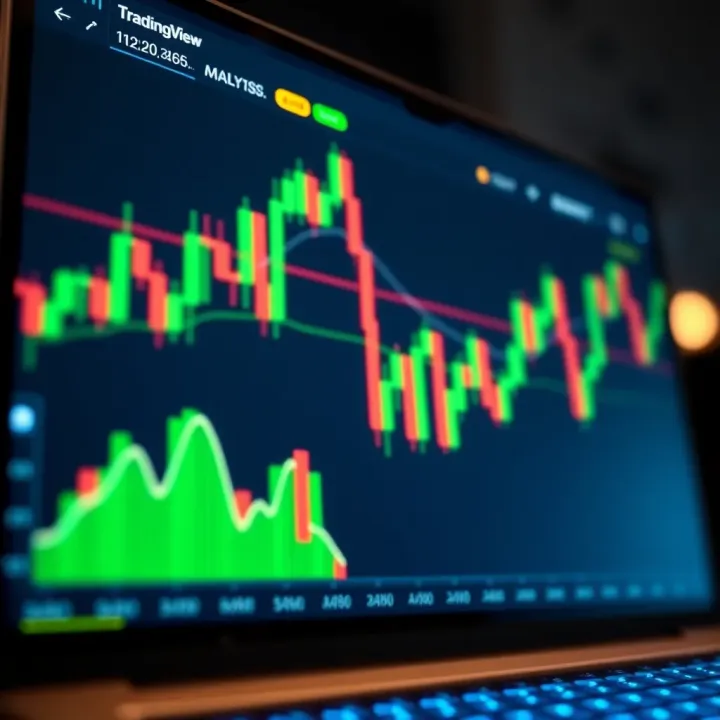
The process involves embedding TradingView’s charting widget, which is available through their lightweight and customizable widget options. You will need a Deriv account and basic knowledge of how to navigate its interface. From a technical standpoint, it requires adding TradingView code snippets or using supported features on Deriv that allow chart integration.
Importantly, this setup is suited not only for seasoned traders but also for beginners looking to work with reliable charts. For entrepreneurs and brokers, it offers a way to monitor market movements while managing client accounts within Deriv.
Combining TradingView charts with Deriv bridges the best of both worlds—detailed market insights are now accessible alongside execution tools, saving you time and enhancing your trade accuracy.
Before proceeding with the implementation, consider your trading needs and the instruments you typically use on Deriv. The types of charts, indicators, and timeframes you want to monitor will determine the best configuration. Next sections will guide you step-by-step to embed TradingView charts, set up indicators, and adjust settings for a tailored trading edge.
This integration ultimately supports a smoother, more efficient trading routine. With this foundation, you are well on your way to leveraging both platforms’ strengths to sharpen your market analysis and trading performance.
Understanding both TradingView and Deriv platforms sets a strong foundation for integrating advanced charting into your trading routine. By getting to know the unique strengths and features of each, traders can combine them effectively, enhancing their market analysis and execution.
TradingView charts stand out with real-time data updates, an intuitive interface, and extensive customisation options. For example, traders can easily toggle between candlestick, bar, or line charts, add drawing tools like trendlines, and analyse volume alongside price movements. This level of detail helps traders in Kenya and beyond spot trends and potential market reversals quickly.
The platform offers a wide array of chart types including Heikin Ashi, Renko, and Point & Figure, each serving different trading styles. Beyond charts, TradingView supports hundreds of technical indicators like Moving Averages, Relative Strength Index (RSI), and Bollinger Bands. These tools help traders fine-tune entries and exits, whether they're tracking Forex pairs or commodities.
Using TradingView’s charts improves clarity in market analysis through visual cues and comprehensive data tools. Kenya-based traders, for example, can customise timeframes from minutes to monthly, suiting intraday or long-term strategies. Plus, the social aspect of TradingView allows sharing ideas and following other traders, fostering a learning environment.
Deriv offers a broad range of instruments including Forex, synthetic indices, commodities, and options. These provide opportunities in volatile markets without owning the underlying asset. This flexibility is significant for Kenyan traders who may prefer short-term trades aligned with market openings in London or New York.
Deriv’s platform allows traders to personalise their workspace, from layout to chart appearance. For example, traders can set watchlists reflecting their preferred assets, choose between multiple chart types, and adjust risk settings. This adaptability helps traders maintain focus and trade more efficiently.
Deriv supports third-party tools and APIs, making it possible to embed external charting solutions like TradingView. This integration enhances technical analysis directly within Deriv, removing the need to switch between separate platforms. The synchronisation of chart data and trading instruments ensures accuracy, which is vital for swift decision-making in fast-moving markets.
Combining TradingView’s powerful charting tools with Deriv’s diverse trading options creates a complementary setup that can help traders sharpen analysis and improve trade execution, particularly in Kenya’s dynamic trading landscape.
Integrating TradingView's advanced charting tools with Deriv’s trading platform brings together the best of both worlds. Traders get access to sophisticated technical analysis while enjoying Deriv’s flexible trading instruments. This combination can raise the quality of market decisions and speed up execution — crucial for staying ahead in Kenya’s fast-moving markets.
TradingView offers hundreds of technical indicators, from simple moving averages to complex oscillators like the Ichimoku Cloud and the Relative Strength Index (RSI). Deriv’s native charts have basic tools, but with TradingView integration, Kenyan traders can explore advanced signals tailored to different assets and time horizons. For example, a forex trader on Deriv can combine Bollinger Bands with RSI alerts from TradingView to time entry points better and reduce false signals.

TradingView lets you choose timeframes from as short as one minute to monthly intervals, unlike some platforms with limited options. In addition, its drawing tools include trendlines, Fibonacci retracements, and custom shapes that help you track support and resistance clearly. Imagine a Kenyan equities trader zooming in on a 5-minute chart to catch intraday moves or switching to 1-month candles for long-term trends, all within the same interface embedded on Deriv.
Charts tell stories that numbers alone cannot. By layering multiple indicators and annotations, traders find patterns that guide better decisions. For instance, spotting a double bottom on a TradingView chart can encourage a Deriv trader to open a long position with confidence. These visual cues reduce guesswork and improve timing, making trading less about luck and more about strategy.
One big advantage of integrating TradingView with Deriv is real-time market data syncing. Kenyan traders get price updates and chart changes instantly, avoiding lag that could cost profits. This synchronisation ensures the charts reflect the true market state, whether trading commodities, forex, or indices on Deriv.
With embedded TradingView charts, you can analyse and act without switching apps or windows. Spotting a breakout on the chart and placing a trade immediately on Deriv reduces delays. This is especially useful during volatile sessions like when the Kenyan Shilling reacts to CBK announcements.
For day traders or brokers handling multiple instruments, having TradingView and Deriv side by side streamlines workflow. Instead of juggling separate platforms, all the analysis and order execution happens in one place. This saves time, cuts distractions, and lets traders focus on market moves rather than clicking around.
Combining TradingView’s charting power with Deriv’s trading capabilities creates a smoother, sharper, and more reliable trading setup. For Kenyan traders aiming to boost their edge, this integration brings practical benefits that turn insights into timely actions.
Integrating TradingView charts onto the Deriv platform offers a powerful way to boost your trading insights. This step-by-step guide walks you through the practical process from initial setup to integration and testing. For traders in Kenya or beyond, understanding these details helps ensure a smooth, reliable charting experience that matches Deriv's financial instruments.
First, create an account on TradingView’s website if you haven’t already. Access to their developer resources is essential for embedding charts and using APIs. TradingView offers various documentation, examples, and support materials that explain how to implement their widgets safely and effectively. This step ensures you can tailor charts to your specific needs and avoid generic setups.
TradingView provides multiple widget options, each suited for different functions—ranging from simple chart embeds to fully interactive tools with trading ideas and alerts. For Deriv integration, the Advanced Chart widget is usually preferred since it supports real-time updates and offers a great balance of customisation. Picking the right widget helps avoid unnecessary complexity and keeps the interface user-friendly.
Once you select the widget, adjust settings like the chart type, timeframes, colour schemes, and indicators. For example, you might configure candlestick charts with volume indicators in the default view. This personalisation matters because traders often rely on familiar visual setups to read market trends quickly. Making these configurations at this stage saves time and reduces confusion during live trading.
Adding TradingView charts to the Deriv platform typically involves embedding the widget code into Deriv's customizable dashboard. This can be done via iframe or API calls depending on your technical skill and permissions. The goal is to have a seamless blend where charts load smoothly without disrupting Deriv's core trading functions.
Charts should display the correct symbols matching Deriv’s trading instruments, like forex pairs or CFDs. Proper linking means when you select an asset on Deriv, the TradingView chart updates to show that specific market. This avoids manual switching, saving time and reducing errors.
Keeping the chart real-time with Deriv’s market prices is critical. This usually requires setting up live data feeds or syncing refresh intervals. Without synchronisation, charts might show outdated information leading to poor trading decisions. Synchronised updates ensure your visual analysis truly reflects market conditions.
After integration, test that chart data matches Deriv’s current market prices and reacts quickly to changes. For instance, if a currency pair changes rapidly, your TradingView chart should reflect that without lag. Confirming accuracy builds confidence in your trading tools.
Typical problems include slow loading times, symbol mismatches, or incomplete data. These can often be fixed by checking widget settings, ensuring correct API keys, or revisiting the connection to Deriv’s data streams. Knowing these pitfalls helps you solve problems efficiently.
Finally, ensure the charts do not slow down your trading platform or consume excessive bandwidth. This might involve limiting chart complexity, reducing the number of indicators shown, or selecting appropriate refresh rates. A smooth, lag-free experience keeps traders focused and responsive.
Remember, successful integration hinges on both technical setup and ongoing monitoring to ensure TradingView charts on Deriv improve your trading edge without adding frustration.
This guide offers practical steps, so whether you're an individual trader or part of a fintech team in Kenya, you can confidently add advanced charting tools that complement Deriv's platform.
Implementing TradingView charts on the Deriv platform demands clear understanding of technical requirements and best practices to ensure smooth operation. This covers API restrictions, costs, data security, regulatory compliance, and platform performance. Dealing with these aspects upfront helps avoid costly errors or downtime while providing a reliable trading experience.
TradingView offers different pricing tiers that determine API access levels. For instance, the free tier limits the frequency of data updates and restricts access to advanced charting features. Traders aiming for higher responsiveness or more detailed indicators may need to subscribe to paid plans. This is particularly relevant for active traders or analysts who depend on real-time data for quick decisions.
To steer clear of surprises, consider your trading volume and feature needs before settling on a TradingView plan. For example, if you want to integrate multiple symbol charts or use TradingView’s Pine Script features, you’ll likely require the Pro or Premium subscription. This ensures you maintain real-time charting without interruptions or throttling.
Deriv’s API policy is another crucial consideration. While Deriv does support third-party tools, it enforces strict rules to protect its infrastructure. API integrations need proper authentication and must comply with usage limits to prevent overloading. If you intend to link TradingView with Deriv through API calls, obtaining Deriv’s developer documentation and registering for API keys is the first step. Deriv also advises regular monitoring of API usage to avoid breaches which might disrupt your service.
Handling user data securely is non-negotiable. When integrating TradingView charts, sensitive information like user credentials or trade details might pass through both platforms. Employing encryption protocols such as HTTPS and secure token authentication safeguards this data from interception or misuse. Regular security audits and prompt handling of vulnerabilities also help maintain trust.
Compliance with Kenya's financial regulations protects both the trader and platform provider. The Capital Markets Authority (CMA) and Central Bank of Kenya (CBK) have guidelines on data handling and financial disclosures. For instance, your integration should not violate client confidentiality or manipulate market data. Ensuring compliance involves continuous updates as regulations evolve, particularly around digital trading services.
Maintaining platform stability is essential for uninterrupted trading and analysis. Poorly optimised integrations might cause slow loading times or crashes, especially during high market activity. To prevent this, optimise your TradingView widget setup by limiting unnecessary indicators and ensuring minimal API calls. Also, test the integration under different network conditions and device types common in Kenya, such as mobile devices with variable connectivity, so users have consistent experience even on slower matatu rides.
Good technical planning and adherence to best practices not only prevent operational hiccups but also build confidence among Kenyan traders who rely on dependable tools for their financial decisions.
By addressing these technical requirements, you create a secure, compliant, and efficient environment for combining TradingView’s charting power with Deriv’s trading scope. This approach ultimately leads to better trading outcomes and user satisfaction.
Integrating TradingView charts on the Deriv platform offers traders and investors a powerful edge. To fully benefit, you need to go beyond just embedding charts — customising indicators and alerts, alongside tailored strategies, unlocks the real potential in your trading workflow. Kenyan traders, in particular, can fine-tune their approach by considering local market conditions and payment preferences.
Setting up personalised alerts for market moves helps traders react quickly to price changes or market events without continuously staring at the screen. For example, you can set alerts on TradingView to notify you when the USD/KES exchange rate reaches a certain level or when the Nairobi Securities Exchange (NSE) 20 Share Index hits a target range. These alerts can come via email, SMS, or push notifications on your mobile, easing your workload.
Using the alert functions effectively means you can jump on opportunities or cut losses faster. This is particularly handy for active traders who need to monitor multiple instruments on Deriv while also managing daily duties.
Using TradingView’s Pine Script for custom tools allows deeper control over your analysis. Pine Script is TradingView’s scripting language that lets you create bespoke indicators, strategies, or visual alerts that are not available in the default library. For instance, you might write a script to highlight overbought conditions on Kenyan stocks based on a combination of Relative Strength Index (RSI) and moving averages.
By launching customised tools via Pine Script, you adapt the charts to your unique trading style on Deriv. This flexibility can give you an edge when standard indicators miss local market nuances or unusual patterns.
Leveraging market hours and local trends is key for optimising trades. Kenyan traders benefit from knowing when global markets like London, New York, and Shanghai influence forex and commodities prices, as well as understanding the NSE trading hours. Aligning your TradingView analysis with these open hours can improve timing. Seasonal events like harvest periods or election cycles also impact local market sentiment; incorporating these trends into your charting strategy can provide extra insight.
Integrating mobile-friendly setups with M-Pesa payments is a practical consideration. Many Kenyan traders rely on mobile devices for quicker access, and Deriv supports mobile trading well. Coupling this with M-Pesa, Kenya’s dominant mobile money service, lets users fund accounts instantly and securely. This seamless funding experience means you can respond swiftly to chart signals from TradingView on Deriv without payment delays.
Combining TradingView’s custom features and Deriv’s trading capabilities builds a well-rounded, responsive trading environment, especially suited for the Kenyan market.
By focusing on these elements, you not only improve your charting experience but also enhance your chance of better trading outcomes.
📊 Learn how to integrate and customize TradingView charts on Deriv platform, tackle common developer challenges, and enhance trading experience effectively.
Explore Deriv.com 🌐: features, trading options, account setup, security, fees & support. A clear guide for traders in Kenya and beyond 📈

Boost your trading skills 📈 by linking Deriv and TradingView for smarter market analysis and faster order execution—perfect for Kenyan traders seeking edge.
Explore the Deriv app and platform in Kenya 📱. Learn account setup, trading types, security features, and tips to trade smart and manage risks effectively.
Based on 6 reviews