
How to Use Deriv on MetaTrader 5 in Kenya
Explore a hands-on guide to using Deriv with MetaTrader 5 📈. Learn setup, strategies, analysis, and manage accounts on mobile for traders in Kenya 🇰🇪.
Edited By
Laura Mitchell
Linking M-Pesa with PayPal gives Kenyans a straightforward way to handle international transactions. Whether you’re a small business owner selling products abroad or an entrepreneur seeking to pay for overseas services, connecting these two platforms simplifies the process.
M-Pesa, being Kenya's most popular mobile money service, is widely used for local payments, while PayPal dominates in international online payments. However, direct integration is not straightforward because PayPal doesn’t support M-Pesa accounts directly as funding or withdrawal options.
Despite this, there are practical ways to bridge M-Pesa with PayPal, allowing you to send and receive money internationally without visiting a physical bank or relying on third-party cash transfers exclusively. This article explains reliable methods to link your M-Pesa wallet with PayPal through trusted intermediaries and the steps to set up these connections safely.
To ensure safe and smooth cross-border payments, it’s essential to use only registered, reputable platforms when linking M-Pesa and PayPal. Avoid unverified agents who claim to do this service at discounted rates.
You will learn about:
Approaches to fund your PayPal account using M-Pesa
How to transfer funds from PayPal back to M-Pesa
Challenges often faced during these operations
Tips on avoiding extra charges and delays
By the end, you’ll understand the best practices for merging these systems, enabling you to tap into global markets efficiently using your local mobile money setup.
Understanding how M-Pesa and PayPal operate is key to making the most of linking these platforms for international transactions. Both services serve distinct roles: M-Pesa is heavily used for local mobile money transfers within Kenya, while PayPal has a much broader international reach. Knowing their basics helps identify how to bridge their differences and benefits for seamless cross-border money movement.
M-Pesa is a mobile money platform developed by Safaricom that allows users to send and receive money, pay bills, and buy goods within Kenya using their mobile phones. Its strength lies in effortless and fast money movement even without internet access, making it popular across urban and rural areas alike. For instance, a farmer in Meru can receive payments from a Nairobi-based buyer without visiting a bank or carrying cash.
Besides peer-to-peer transfers, M-Pesa enables utility payments, airtime top-ups, and even loan repayments, offering a digital financial ecosystem accessible to many Kenyans. Its integration with many Kenyan banks also means users can link M-Pesa wallets to bank accounts for wider financial management.
PayPal acts as an online payment platform connecting buyers and sellers across countries. Users can send or receive funds in multiple currencies, making it ideal for businesses and freelancers working beyond borders. For example, a Kenyan graphic designer can get paid from a client in the US directly into their PayPal account.
The platform secures transactions through encryption and allows easy linking to local bank accounts for withdrawal. PayPal supports currency conversions, so a dollar sent from abroad can be converted and withdrawn in Kenyan shillings via a local bank account.
M-Pesa transactions operate only in Kenyan shillings within Kenya, with no support for foreign currencies on the platform itself. In contrast, PayPal supports dozens of currencies, enabling users to transact in USD, EUR, GBP, and others. When linking accounts, funds arriving in foreign currency through PayPal will require conversion upon withdrawal to a Kenyan bank, and from there, they can be moved into M-Pesa.
Understanding this is vital because direct cross-currency transfers from PayPal to M-Pesa are not possible. Users should anticipate currency conversion fees at banks or PayPal, as well as the delays this process might introduce.
M-Pesa operates under Kenyan regulations with strict local compliance, limiting its direct international functionality. Safaricom’s controls prevent linking directly to international payment gateways like PayPal for security and legal reasons.
On the other hand, PayPal complies with international financial laws but has limited direct integration with African mobile money services like M-Pesa. This gap means users must use Kenyan banks as intermediaries when moving funds between PayPal and M-Pesa. Knowing these limits helps users plan their transactions realistically and avoid unexpected issues with transfer failures or blocked accounts.
Both platforms shine in their own right but require thoughtful coordination to benefit from their combined usage, especially for entrepreneurs and investors handling cross-border payments from Kenya.
Linking your M-Pesa account to PayPal can be a real boost for anyone dealing with international transactions in Kenya. The challenge, however, lies in the fact that you cannot connect M-Pesa directly to PayPal. The solution involves using a Kenyan bank account that can serve as a bridge between the two platforms. This guide breaks down the process into manageable steps, helping you use the tools at hand effectively and avoid common pitfalls.
Before anything else, you need a verified PayPal account registered under your Kenyan details. During registration, PayPal asks for your personal information and a valid email address. Verification usually involves confirming your email and linking a Kenyan bank account or credit card. This step is critical because PayPal restricts certain features until verification is complete.
Adding a Kenyan bank account plays a vital role since this account will link your PayPal and M-Pesa indirectly. Banks like Equity, KCB, and Co-operative Bank allow you to add your account details to PayPal. Once added and verified, you can transfer funds between PayPal and your bank account, which in turn can be accessed via M-Pesa’s bank integration services.
Not all banks in Kenya support smooth integration between M-Pesa and PayPal. For instance, Equity Bank offers a direct way to withdraw PayPal funds into your Equity account, after which you can move money to M-Pesa using Lipa Na M-Pesa. Similarly, KCB supports PayPal withdrawals to their accounts.
The linking procedure goes like this: start by logging into your PayPal account and selecting the option to add a bank account. Enter your Kenyan bank details carefully and wait for the verification steps, which usually involve confirming small deposit amounts. After your bank account is set, log in to your online or mobile banking. From there, initiate transfers between your bank and M-Pesa wallet to complete the connection indirectly.
Safaricom’s M-Pesa menu on your mobile phone is quite straightforward. By dialing *334# or using the M-Pesa app, you navigate to Lipa Na M-Pesa, then choose 'Paybill' or 'Buy Goods' options, depending on your bank's setup. The goal is to ensure you can easily transfer money from your bank account to M-Pesa whenever needed.
On the PayPal side, managing your account settings can be done conveniently on both desktop and mobile apps. Navigating the sections for linked bank accounts, payment preferences, and security ensures your transactions run smoothly. Keep the PayPal app updated and check settings regularly for new features or limitations, especially concerning Kenyan banks or currency options.
Before starting, remember to secure your accounts with strong passwords and enable two-factor authentication wherever possible. Security is key when dealing with international money transactions.
This stepwise guide helps you weave together the different platforms, ensuring your international payments through PayPal can be accessed and managed conveniently via M-Pesa, which remains Kenya’s most popular mobile money service.
Linking M-Pesa with PayPal is not as straightforward as it might seem. Understanding the common challenges can save you time and help avoid frustration. These challenges mainly revolve around the platforms’ distinct systems, currency handling, and transaction policies. Knowing these issues upfront enables users like traders and entrepreneurs to plan better and explore practical solutions.
M-Pesa and PayPal operate independently, making it impossible to link M-Pesa directly to PayPal. M-Pesa is a mobile money service focused on Kenya and some East African countries, while PayPal is an international online payment platform that does not recognise M-Pesa as a linked payment method. Simply put, PayPal doesn't treat M-Pesa like a bank account or card that can be added straight to its system.
To get around this, most users have to route funds through a Kenyan bank account. For example, you can transfer money from PayPal to a Kenyan bank account linked to your M-Pesa. From there, you withdraw or transfer funds to M-Pesa using Safaricom's Lipa Na M-Pesa service. Though a bit roundabout, this process allows you to manage international payments without losing access to your mobile money.
Both PayPal and Kenyan banks apply fees during currency conversion and fund transfers. PayPal tends to charge a margin on the exchange rate in addition to a fixed fee per transaction. Kenyan banks may also impose charges when you receive foreign payments and convert them into Kenyan shillings. Hence, entrepreneurs should factor these costs when pricing for international clients.
On top of these, Safaricom levies fees on M-Pesa withdrawals, especially when moving money from bank accounts back to M-Pesa wallets or cashing out. For instance, withdrawing above KSh 1,000 attracts a small fee that increases with the amount. These combined fees can eat into your profits, so tracking them closely makes sense.
Transfers between PayPal and Kenyan banks can take 1–3 business days depending on the bank and amount. After funds hit your bank account, moving money from the bank to M-Pesa wallet is usually instant but may sometimes experience slight delays, especially during peak hours or system maintenance.
Moreover, both Safaricom and PayPal enforce limits on the transaction amounts and frequency for security and regulatory reasons. PayPal often sets limits on withdrawals or sending money abroad, while M-Pesa has daily and monthly limits on mobile transfers and withdrawals. Users conducting high volumes or large amounts should check these limits first to avoid unexpected restrictions.
Understanding these common issues helps users manage expectations and seek alternative paths to move money efficiently between M-Pesa and PayPal. Planning transactions with fees, limits, and waiting times in mind ensures smoother international operations and better cashflow management.
While M-Pesa and PayPal serve distinct purposes, their direct linking faces limitations. This section explores practical alternatives to bridge the gap for users needing international transactions. Understanding these options helps you send or receive money efficiently without relying on unsupported direct connections.
Some money transfer companies specialise in moving funds between PayPal and M-Pesa users. Services like WorldRemit, TransferWise (now Wise), and Remitly allow Kenyans to receive international payments into their M-Pesa accounts even though they do not officially link PayPal to M-Pesa. These platforms act as intermediaries by accepting PayPal withdrawals or bank transfers and then paying out in Kenya directly to M-Pesa users.
For example, a client based abroad can deposit money into your PayPal account, which you withdraw to a linked international bank account. You then instruct the transfer company to send the equivalent amount to your M-Pesa number. This provides a practical flow to bypass direct M-Pesa-PayPal restrictions while maintaining quick and relatively affordable transfers.
Using trusted third-party services reduces the risk of fraud and delays compared to informal arrangements.
When using such platforms, always verify their legitimacy, fees, and exchange rates before proceeding. Avoid services that require unusual payment methods or ask for upfront fees outside the normal process. Stick to well-established companies with clear terms and customer support.
An alternative involves transferring your PayPal balance to a Kenyan bank account. Once the funds appear in your bank account—such as Equity Bank, KCB, or Co-operative Bank—you can withdraw them conveniently to your M-Pesa wallet. This step provides a secure and official route to access PayPal funds locally.
To withdraw bank funds to M-Pesa, use the Lipa Na M-Pesa service. By selecting the "Pay Bill" or "Buy Goods and Services" option on your M-Pesa menu, enter your bank's till or paybill number followed by your bank account number or customer ID. This allows easy movement of money from the bank to your mobile wallet, making it available for everyday transactions or cash withdrawals.
This indirect process might take more steps compared to direct linking but offers reliability and full control over your money. It also aligns well with normal banking and mobile money workflows used by many businesses and individuals in Kenya.
Planning transfers this way helps manage timing around transaction fees and exchange rates, saving costs in the long run.
Overall, these alternatives provide Kenyans with workable options to handle cross-border payments through M-Pesa and PayPal despite their current lack of direct integration. Choosing the right method depends on your specific needs, speed requirements, and cost sensitivity.
International transactions involving M-Pesa and PayPal come with risks and costs that you must handle carefully. This section highlights practical tips to protect your accounts, save on fees, and keep your transfers running smoothly. Kenyan traders and entrepreneurs, especially those regularly sending or receiving payments across borders, will find these pointers handy to avoid losses or delays.
Avoiding scams and phishing attempts requires constant vigilance. Fraudsters often impersonate PayPal or Safaricom to trick you into sharing login details via fake emails or text messages. For example, an email may claim there’s an issue with your PayPal account and prompt you to click a suspicious link. Always check the sender’s address carefully and avoid clicking links in unexpected messages. Instead, open PayPal or M-Pesa apps directly to verify your account status.
Besides emails, scams may come as fake phone calls or WhatsApp messages pretending to be from customer service. Never share your PIN, passwords, or one-time verification codes with anyone. Genuine service providers will never ask for this information.
Using strong passwords and two-factor authentication (2FA) adds a crucial layer of security. Make sure both your PayPal and M-Pesa accounts have passwords that mix letters, numbers, and symbols—avoid easy guesses like birthdays or names. Enabling 2FA means that even if someone steals your password, they’ll need a second code sent to your mobile or generated by an authenticator app to access your account.
Many Kenyans now link their PayPal account with mobile numbers already secured by M-Pesa's SIM-Security, but it’s wise to set up additional verification on PayPal. This protects your account in case your phone is lost or compromised. Regularly change your passwords too, maybe every three months.
Checking daily forex rates from the Central Bank of Kenya (CBK) helps you time your transactions better. Since PayPal currency conversions and M-Pesa withdrawals involve exchange rates, sending money when the shilling is strong can increase the amount your recipient gets. You can check CBK’s published rates early in the morning before making transfers.
For example, if you notice that the shilling has appreciated slightly against the dollar compared to the previous day, consider completing your PayPal withdrawal then. This small difference can add up to hundreds of shillings when dealing with large sums.
Planning transactions around lower charges also reduces costs. Both PayPal and Safaricom apply fees at different stages: PayPal might charge for currency conversion or receiving international payments, while M-Pesa adds withdrawal or transfer fees. If possible, lump smaller payments into one larger transfer to save on repeated charges.
Some banks also waive fees when transfers happen within certain limits or during specific hours. Being aware of these minor details can make international trading or freelancing more profitable.
Following Safaricom and PayPal updates keeps you informed about new features, restrictions, or fee changes. Both companies occasionally revise their policies or introduce better security protocols. For instance, Safaricom might increase withdrawal limits or add new Paybill numbers that facilitate faster transfers.
You can follow official Safaricom channels on social media or subscribe to their newsletters. Similarly, check PayPal’s announcements regularly, especially because changes may affect how Kenyan users receive or send money.
Being aware of new regulations affecting transfers is vital to avoid unexpected blocks or complications. Kenyan authorities sometimes update rules on cross-border payments, foreign exchange, or taxation. For example, CBK might issue directives affecting mobile money usage abroad or KRA might tighten reporting on international income.
Following business news platforms or official government releases ensures you don’t miss these changes. This will help you stay compliant and avoid penalties while making your international transactions hassle-free.
In Kenyan cross-border trade, staying alert to security risks, fees, and evolving regulations helps you save money and keep funds flowing smoothly. Use strong safeguards, plan your transactions with exchange rates in mind, and stay current with Safaricom and PayPal updates to operate without surprises.
Explore a hands-on guide to using Deriv with MetaTrader 5 📈. Learn setup, strategies, analysis, and manage accounts on mobile for traders in Kenya 🇰🇪.
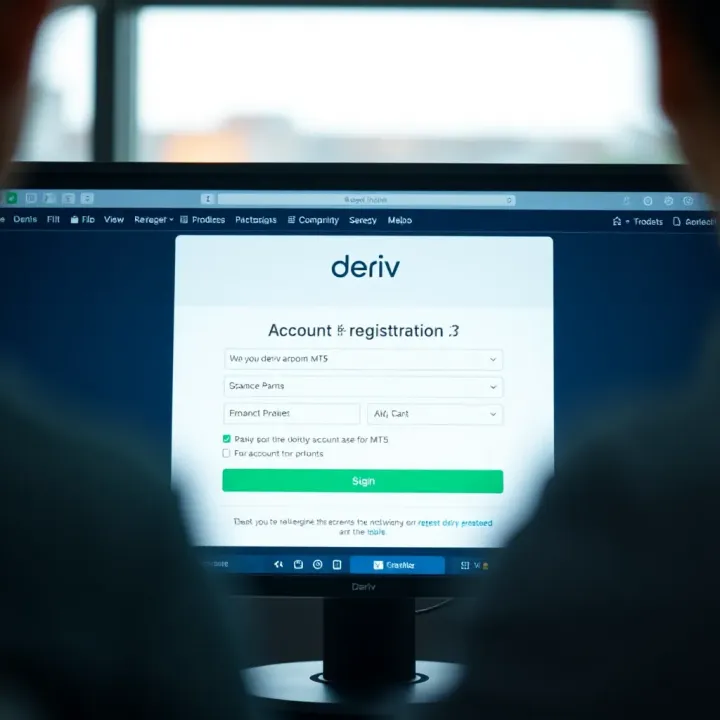
📈 Step-by-step guide to registering a Deriv real account for MT5 trading in Kenya. Learn registration, document needs, verification & funding tips! 🇰🇪
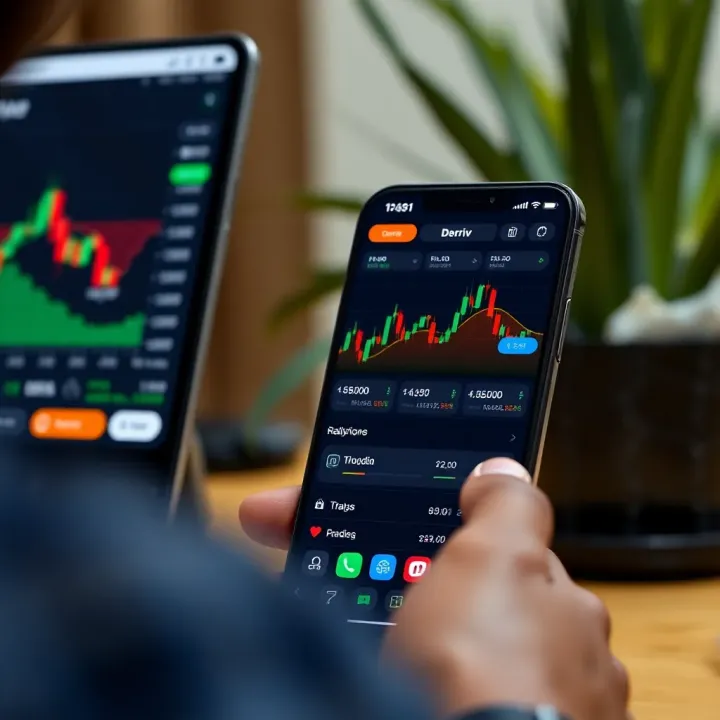
📱 Explore the Deriv.com app for Kenyan traders: setup tips, trading features, account security, and mobile trading advice to boost your trading game.
📈 Learn how to spot and use key chart patterns in trading with our practical guide, including handy PDF resources for deeper understanding and smart market moves.
Based on 14 reviews